PDFLab — Click-to-Edit PDF Editor (HTML + Python · PyMuPDF)
Freev1.0.0Click-to-edit PDF editor — retype any line and export a real edit in the document's own fonts, plus markup, shapes and images.
PDFLab — Click-to-Edit PDF Editor (HTML + Python · PyMuPDF)
PDFLab v1.0.0.zip · 3 MB
Free forever · MIT license · Personal license key
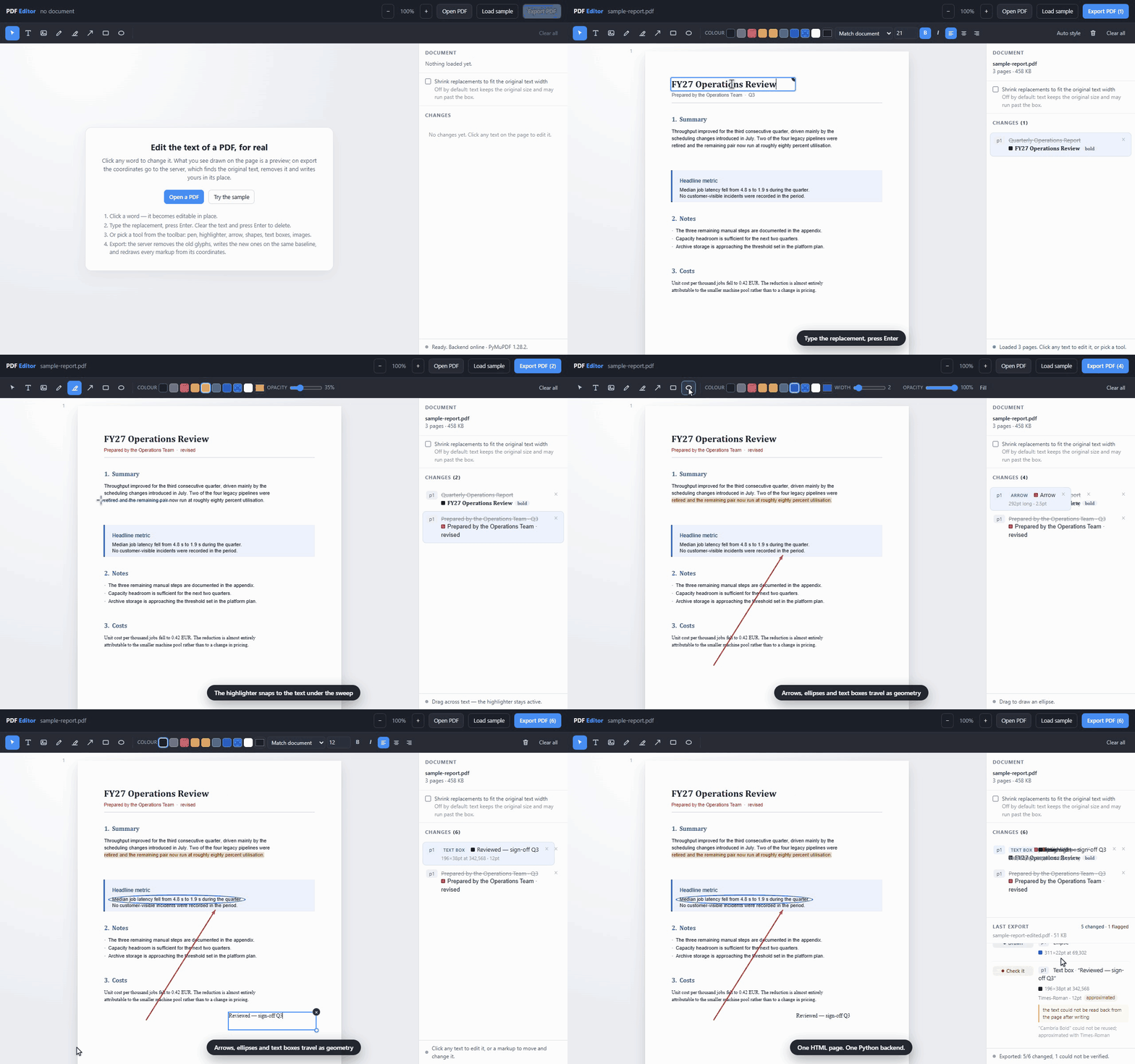 Full page
Overview
PDFLab turns a browser tab into a working PDF editor: click any line of text in
the document, type over it, and export a file that keeps the original
typography. The trick is that nothing is edited in the browser — the page on
screen is a preview drawn over the PDF, and on export the coordinates travel
to a Python backend, which finds the original glyphs under them, deletes them,
and writes the replacement on the same baseline.
Fidelity is the whole point. A replacement inherits the **font, weight, slant,
size and colour of the run it replaces**: the document's own embedded face is
reused whenever it can be embedded and can render the new characters
(font_source: exact), otherwise the closest installed family comes in, then a
base-14 approximation — and the report says which one happened, every time.
Because the ink colour comes from the backend's reading of the span rather than
a sampled pixel, the preview and the export agree by construction, and so does
the geometry.
On top of text editing sits a full markup toolbar: freehand ink, highlighter,
arrows, rectangles, ellipses, text boxes and images, each with colour, stroke
width, opacity and fill — plus font, size, weight, alignment and italic for text.
The highlighter snaps to the glyph boxes under the sweep instead of drawing a
thin rectangle, and an arrow's filled head is computed in PDF points, so what you
see and what you ship cannot drift apart.
It is deliberately small: one HTML page and one Python backend — no build
step, no npm, no database. pip install -r requirements.txt, run uvicorn, open
the page. Use it as an internal redaction tool, embed it as the document step of
your own product, or import pdf_ops.py and call the whole pipeline as one
function.
What's included
Click and retype
Fidelity by inheritance
Font reuse
A per-change audit
Eight tools
Real direct manipulation
A properties cluster
Get started
Download the ZIP
Unzip & install
Extract, then run npm install
Run it
npm run dev and start shipping
Basic usage
from pdf_ops import Annotation, Edit, apply_edits
from sample_pdf import build_sample

raw = build_sample()                       # or: open("report.pdf", "rb").read()

edits = [
    Edit(page=0, rect=(60, 60, 297, 85), text="FY27 Operations Review"),
    Edit(page=0, rect=(60, 88, 248, 106), text="Prepared by the Operations Team"),
    Edit(page=0, rect=(60, 396, 400, 412), mode="delete"),
]
markups = [
    Annotation(kind="arrow", page=0, points=((155.5, 584.0), (310.9, 336.6)),
               color=(0.85, 0.17, 0.17), width=2.5),
    Annotation(kind="highlight", page=0, rect=(60, 202, 421, 220),
               color=(1.0, 0.85, 0.2), fill_opacity=0.35),
]

pdf_bytes, report = apply_edits(raw, edits, markups)
open("report-edited.pdf", "wb").write(pdf_bytes)
File structure
PDFLab/
├─ index.html              # the entire editor: pdf.js canvas, text layer,
│                          # markup toolbar, properties panel, export report
├─ app.py                  # FastAPI: upload, resolve, export, in-memory store
├─ pdf_ops.py              # the engine: glyph removal, font reuse, drawing
├─ font_matching.py        # family matching + the installed-font index
├─ sample_pdf.py           # builds the demo document on demand
├─ requirements.txt        # runtime deps (FastAPI, uvicorn, PyMuPDF)
├─ requirements-dev.txt    # pytest + httpx, for the test suite
├─ conftest.py             # puts the project root on sys.path for pytest
├─ LICENSE                 # Wholesaas Commercial License
├─ README.md               # overview, API, limits, the demo recording
├─ docs/
│  └─ quickstart.md        # install, file structure, basic usage, limits
├─ tests/                  # 115 pytest tests
│  ├─ test_pdf_ops.py      #   the engine: glyph removal, artwork survival, rotation
│  ├─ test_api.py          #   every endpoint, limit and error path
│  ├─ test_fonts.py        #   family matching and the font index
│  └─ test_markups.py      #   pixel checks on the rendered markups
└─ demo/                   # the recording, and how to re-record it
├─ pdf-editor-demo.gif  #   the animated demo in the README
├─ pdf-editor-demo.webm #   the same run as video
├─ record.mjs           #   drives Chromium over the DevTools protocol
├─ overlay.js           #   the pointer, click ripples and captions
├─ assemble.py          #   frames → GIF + WebM, plus the verification
├─ hero.html            #   the product hero image (Tailwind CDN)
├─ hero.mjs             #   shoots it, and the two clean app screenshots
├─ pdflab-hero.png      #   the hero image, 2560×1440
├─ screenshots/         #   editor.png, export-report.png — 2560×1600 each
└─ requirements.txt     #   Pillow, for assemble.py
MIT license
Free for personal and commercial use.
PDFLab — Click-to-Edit PDF Editor (HTML + Python · PyMuPDF) is free. Grab it.
A 3 MB ZIP, signed-in download, instant license key. The rest of the library is free too — explore more scripts.
Keep exploring
More free templates & the Pro vault
Paidly — Invoice Generator
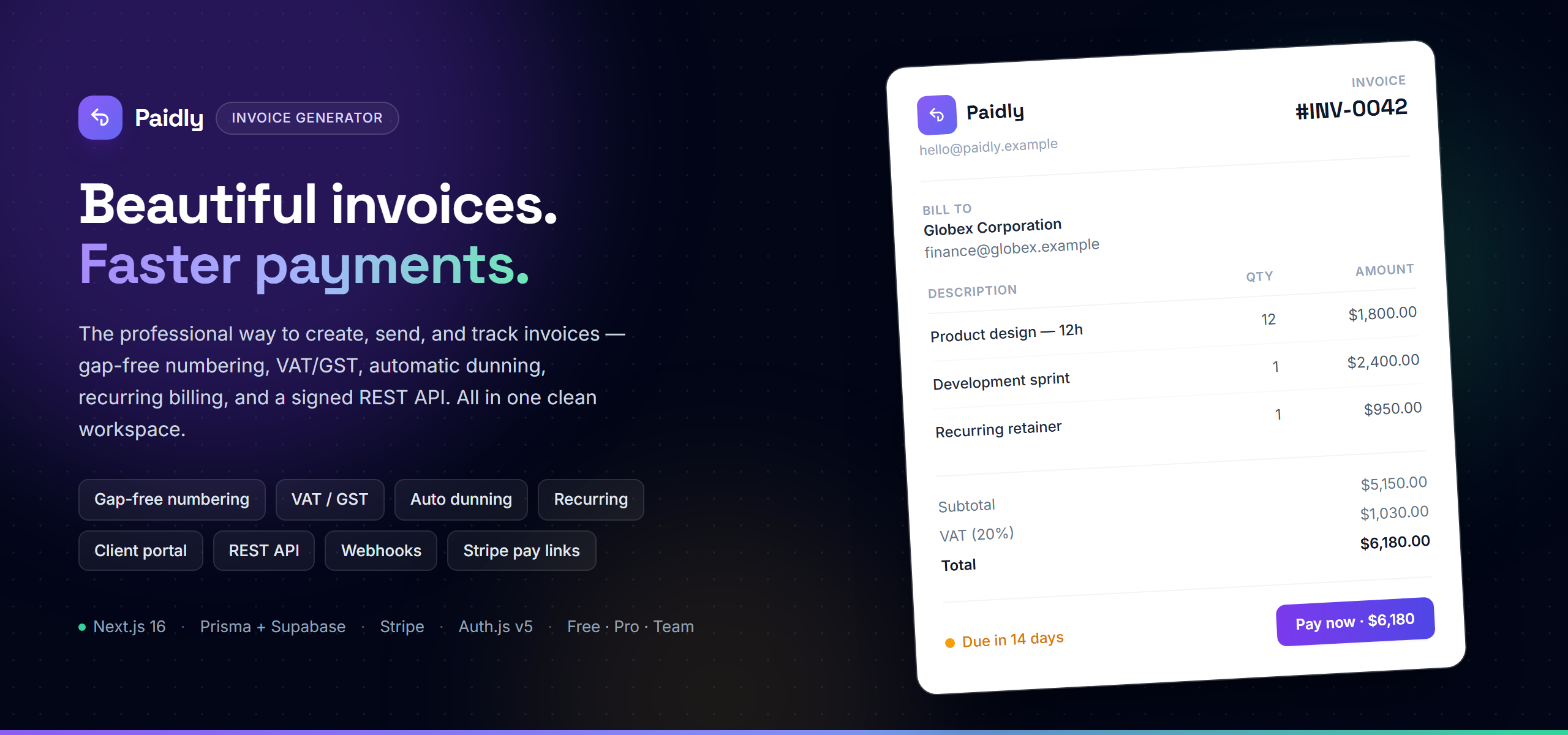
Paidly is a production-ready invoice generator and SaaS starter built on **Next.js 16 (App Router)**, **TypeScript**, **Prisma 7** and **Stripe** — a complete enterprise invoicing product out of the box. Manage clients, emit gap-free invoices with tax-inclusive/exclusive VAT & GST, chase overdue balances with automated dunning, automate recurring invoicing, collect via Stripe "pay now" links, let clients pay through a token-gated public portal, and integrate with anything through a signed REST API with HMAC webhooks. It also includes everything a real SaaS needs beyond the product surface: email/password **and** Google OAuth (Auth.js v5), multi-tenant **organizations** with role-based permissions, FREE/PRO/TEAM **plan entitlements** via Stripe, branded transactional email (Resend + react-email), an **admin support & moderation panel**, audit logging, a self-serve REST API panel, analytics dashboards, and CSV reports. Everything is scoped to a **workspace** (your personal account or an organization), and money is handled as **integer minor units with BigInt half-up rounding** end-to-end — no float drift.
NextStarter — Production-Ready SaaS Starter (Next.js 16 · Supabase · Stripe)
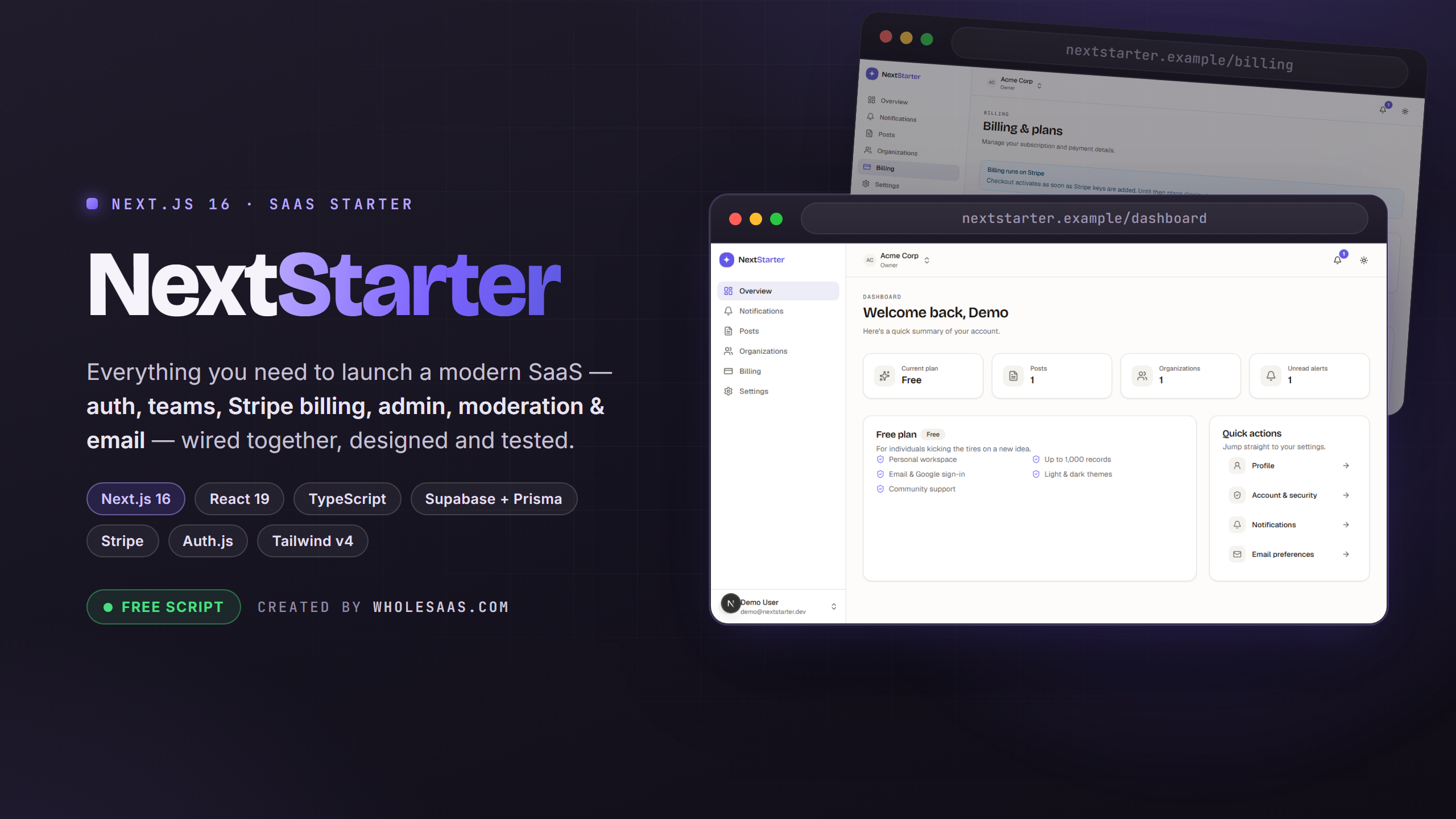
NextStarter is a production-ready SaaS starter on Next.js 16 (App Router), React 19 and TypeScript, with Supabase Postgres, Prisma 7, Auth.js v5 and Stripe already wired together. It ships authentication (Google + email/password), teams & organizations, Stripe billing, an admin panel, moderation, contact/support, transactional email, notifications, a hand-built Tailwind v4 design system, and a Playwright E2E suite — every piece wired together and verified, so you can launch your product instead of building plumbing.
The Pro vault
You've got the free stuff. Unlock the full vault.
Premium templates — full-stack boilerplates (auth, billing, admin panels) at a fixed one-time price. Pay once, keep the template and your license key forever.
Comments
Questions, feedback and experiences from members who shipped withPDFLab — Click-to-Edit PDF Editor (HTML + Python · PyMuPDF).
No comments yet
Be the first to share your experience with this template.
Join the conversation
Sign in to leave a comment on this template.
Sign in to comment